
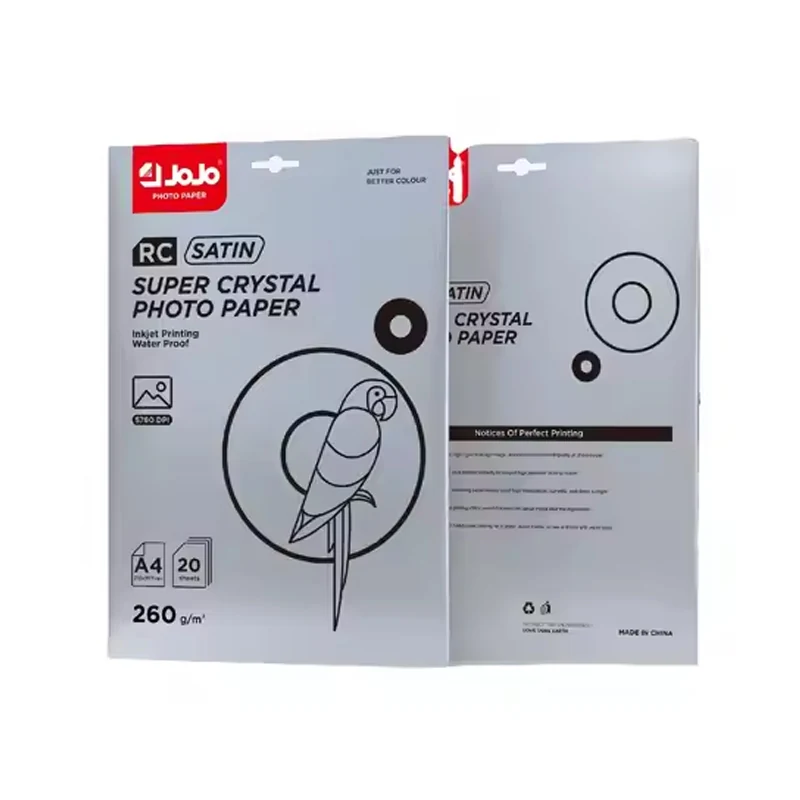
Specify the RC base and the satin surface together
JR-3030's full description includes both RC and satin. Keep those terms with A4, 260gsm and 20 sheets per pack on the purchasing specification. RC leaves the surface choice open; satin, on its own, leaves the rest of the paper unidentified.
You can see the distinction in manufacturers' descriptions. Hahnemuhle describes its photo-paper range by substrate materials and inkjet coating, while ILFORD's Satin Photo specification separates its surface from the RC media type. For the paper you're actually evaluating, use that supplier's own data.
Compare the appearance with your actual image
A named sample gives a finish discussion something firmer than a screen image. Print the artwork you intend to sell or use, including dark areas, pale detail and a smooth color transition. Look at it under the intended lighting, change the viewing angle, and mark your preference against the sample.
For a satin-versus-glossy comparison, keep the file the same. Keep the settings with each print, too. It's your job's appearance that you're choosing; a surface name won't predict the output on every printer.
Keep printer setup separate from the paper name
The printer manual is the starting point for loading. Check the media instructions for sheet size, feed route and paper limits, then establish your settings with a small trial. An RC label can't do that equipment check for you.
Here the sheet is A4 and 260gsm. Gsm describes weight per area, not a printer's thickness limit. Write the paper identity and settings on the same sample record. That record can stay with the output as people compare it or prepare a repeat job.
Choose the paper format your job needs
Build the artwork and trial around this A4, 20-sheet pack. A roll requirement, another sheet size or a particular printing-side arrangement needs its own entry on the brief. Don't leave those choices to the words "RC satin."
If you need a specifically double-sided glossy sheet, compare JB-1029 300gsm photo paper. It is A4 with 50 sheets per pack: a different surface, weight and pack count from JR-3030. The resin coated photo paper guide explains where RC construction belongs in the wider buying specification.
Use the 20-sheet pack as a clear purchasing unit
Specify packs and total sheets separately in a quote comparison. JR-3030 has 20 sheets per pack. Allow for your planned samples and setup sheets in the calculation so each offer covers the same format and quantity.
Put unused paper back in its packaging between trials. Epson's media-handling guidance recommends keeping it away from heat, humidity and direct sunlight. The handling instructions for your chosen media and equipment should stay with the job.
Request a JR-3030 quotation
Use the quote request form for JR-3030, A4, 260gsm, the number of 20-sheet packs and destination. Include print or finishing requirements that affect selection. Check the offer for the agreed quantity and supply terms.
Questions about RC satin photo paper
What type of photo paper is JR-3030 RC satin?
It is RC satin inkjet photo paper. This JR-3030 option is A4, 260gsm, with 20 sheets in a pack.
Which is better for my job, satin or glossy?
Compare samples with your artwork under the intended viewing conditions. You'll have an actual appearance to choose from, without assuming one finish is best for every image.
Is satin paper the same thing as poster paper?
Satin names a surface. A poster brief needs a size and printing workflow as well; JR-3030 here is A4 sheet media. Keep the finished format explicit when comparing products.
Does RC mean that every printer or ink will work?
The label doesn't establish compatibility. Check your printer and ink-system requirements, then evaluate the selected paper before production.